Configure services
This functionality is only available when your system contains multimedia devices.
This tab allows you to specify which services are available during the meeting. Delegates with an interactive unit are able to request services using the tab Services on their multimedia unit.
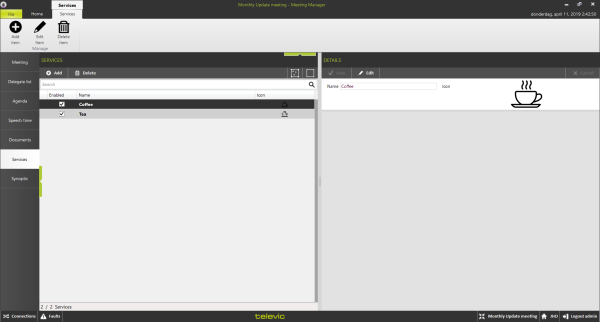
Figure 1-23 The Services page of the Meeting Manager
The Services section shows a list of all available services. The column Enabled indicates if the service is available during the current meeting.
Once you define a service, it remains in the database. It is therefore not necessary to recreate services for each meeting. All defined services will remain available in the list of Services.
The Details sections shows the details of the services that you defined for the current meeting. Each service has a name and an icon.
Note that a service can be translated into other languages. For this, it is necessary that more languages have been defined for the meeting (see Section Home tab and ribbon).
The following operations are possible on services, using the buttons available on the ribbon and at the top of the Services column:
- Add: on the right side of the screen you can name the service and assign an icon to this service. This is the name and image that are visible on the multimedia unit.
- Edit: modify a service that was previously created.
- Delete: delete the selected service.