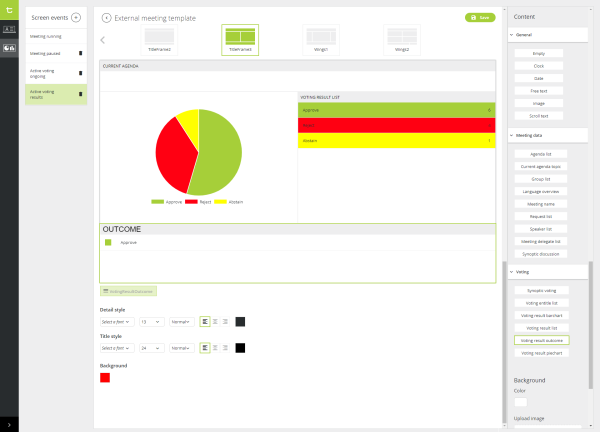
By default, there are 7 different screen events available in the signage application. A screen event is a specific occurrence during a meeting. When this event occurs during the meeting, you want to display different content on the signage screen. The following screen events are available:
Per screen event you can add different content. There are three main categories of content blocks:
For almost every content type you can configure different settings such as the font. It is also possible to set the background of every box of the grid separately. Below you can find a description of all possible types of content and the specific features you can configure.
Figure 1-53 How to configure screen events in CoCon
The voting content is only available for the voting screen events: Active voting ongoing and Active voting results.
For every screen event you can configure the background. You have the option change the color of the background using the provided color picker or upload an image in the designated field. Click Remove to delete the upload picture. To remove the background color, select the color white from the color picker.
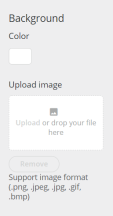
Figure 1-54 How to configure the background of a screen event