_523x250.png)
In stand-alone mode, the WCAP supports two kinds of initialization:
Microphone LEDs blinking red at a rate of 1 Hz is an indication that the units are waiting for the initialization.
 .
.Repeat step 5 until all units are added.
Click Close initialization to save the setup. Only those units that were initialized are visible in the Initialization list and are available to join the conference. This list remains available on the WCAP, even when WCAP is switched off and on again.
_560x250.png)
Figure 1-16 How to manually initialize units. The battery icon shows the remaining battery life of the unit.
Once units are linked to the WCAP it is possible to edit some of the features of the units. You can change the name, create groups and add units to specific groups.
_329x250.png)
_330x250.png)
 to delete groups or units. When you click Clear initialization, all units will be removed, but not the groups.
On the discussion options page you can configure different settings that determine how your conference will take place. To configure these settings click Discussion options in the menu. You can configure the following settings:
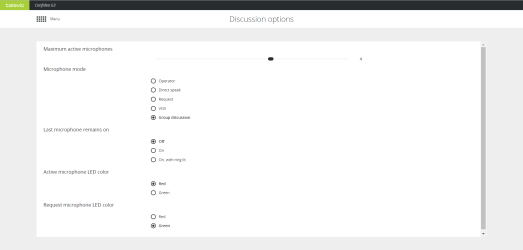
Figure 1-17 The Discussion options screen
 ) or CoCon software.