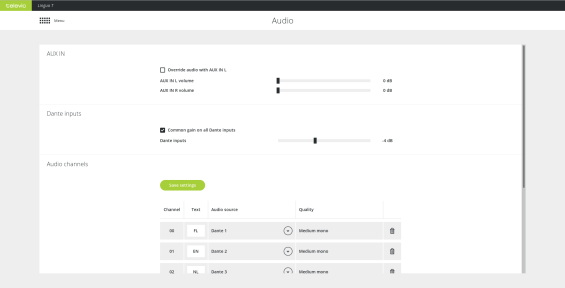
With the AUX IN settings you can configure the following parameters
Figure 4-1 Transmitter audio settings (part one)
The Dante inputs section allows you to set the gain of all Dante inputs at once or change the gain of the individual Dante channels. Select Common gain on all Dante inputs to use the same gain settings for all channels.
In the Audio channels section you can add or remove audio channels. Per channel you can set the text to be displayed on the receiver as well as which Dante™ channel is routed on that channel. Click Save settings to confirm the configuration.
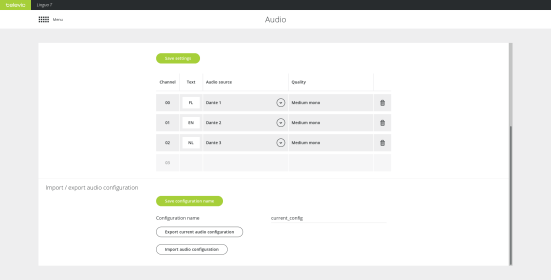
Figure 4-2 Transmitter audio settings (part two)
It is possible to import and export audio configuration settings. Define the Configuration name and click Save configuration name to confirm. Click Export current audio configuration to export the settings or Import audio configuration to import settings.