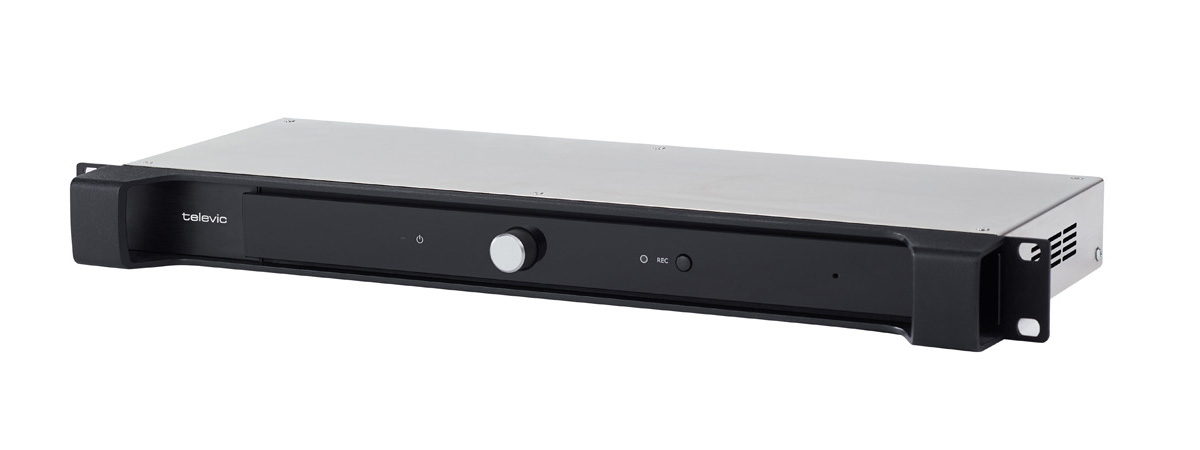
Figure 1-6 CoCon AE-R front view
The CoCon audio engine is a 19" rack mountable device that provides audio processing and signal handling required for the CoCon network. It controls all delegate units and interconnects to other systems either via the external audio connections or control ports.
With the volume dial you can adjust the volume and using the record button you can easily start or stop recording the meeting. In contrast to the multimedia engine the CoCon AE-R does not have an internal power supply, meaning you will need at least one external power supply.

Figure 1-7 How to use the recording feature
With the CoCon AE-R you can record the floor and up to three different languages. You can use the button on the engine or the CoCon Core web server to control recording.
The LED next to the recording button shows the status of recording. The CoCon AE-R has an internal recording capacity of 8 GB. Depending on the selected bitrate you can record over 100 hours of audio. Use the USB port on the back to expand the recording memory.
You can download all Recorded meetings from the CoCon Core web server. There is an option to configure different recording features using the web server. See "Recording" on page 1 for more information.

Figure 1-8 Back view of CoCon AE-R
The CoCon AE-R does not have an internal power supply. By default one external power supply of 220 W is delivered together with the engine. You can use a second power supply for redundancy. However for larger setups you need the additional power to power the units, preventing you to use the second power supply for redundancy. See "Power supply design" on page 1

Figure 1-9 Reset button on CoCon AE-R
Depending on the amount of seconds you press and hold the reset button, different outcomes are possible: